
Download our app
Android: install our APK. iPhone: add the client space to your home screen. Your account stays the same.
Version 1.0.6 · about 48 MB · APK
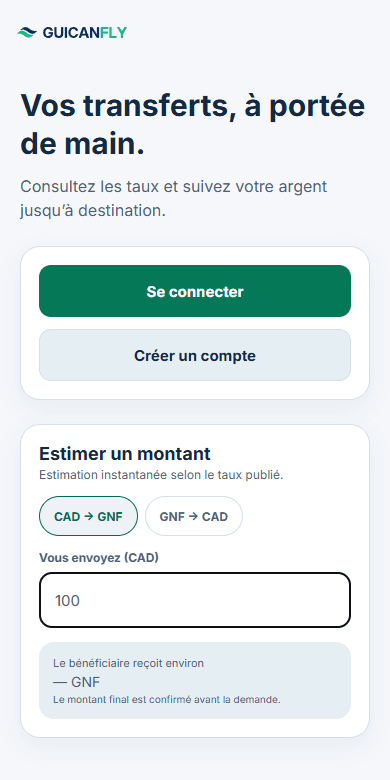
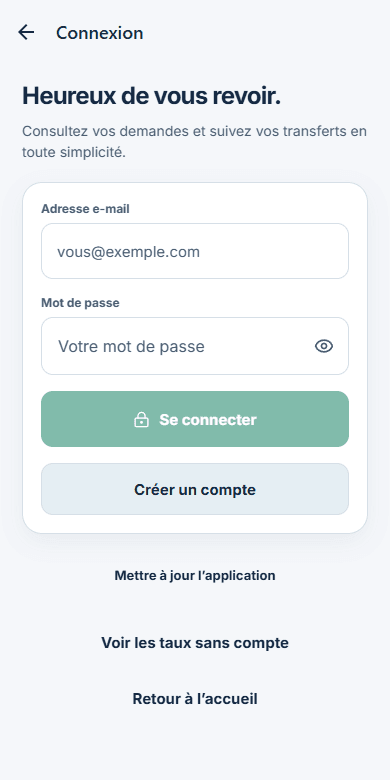
Client app preview · French interface.
Choose your phone.
Request a transfer, track its progress and find your receipts. Choose the installation that suits your phone.
Scan to open the download page
On Android
Install the GUICANFLY app directly on your phone.
Version 1.0.6 · about 48 MB · APK
- Download the APK file using the button above.
- Open the downloaded file. If Android asks, allow this browser to install the app, then confirm the installation.
- Open GUICANFLY and sign in with your usual credentials.
Android 7.0 or later · 64-bit phones (ARM64).
On iPhone
Add GUICANFLY to your Home Screen from Safari. Use the web app without downloading a file.
Add GUICANFLY to your Home Screen to keep your client space handy.
- Open GUICANFLY in Safari using the button above.
- Tap Share, then “Add to Home Screen”. Depending on your Safari version, Share may be in the page menu.
- Enable “Open as Web App” if shown, then tap Add. The GUICANFLY icon is ready.
Can’t find the option?
Missing the option? Open Edit Actions in Safari’s share menu and add Add to Home Screen.
How do I update the app?
On Android, open “Update” in the app. New versions download from our official channel; Android then asks you to confirm installation. On iPhone, the web app refreshes when opened.
Do I need a new account?
Your GUICANFLY credentials work on the web and in the app. If you are new, you can submit your registration from either.